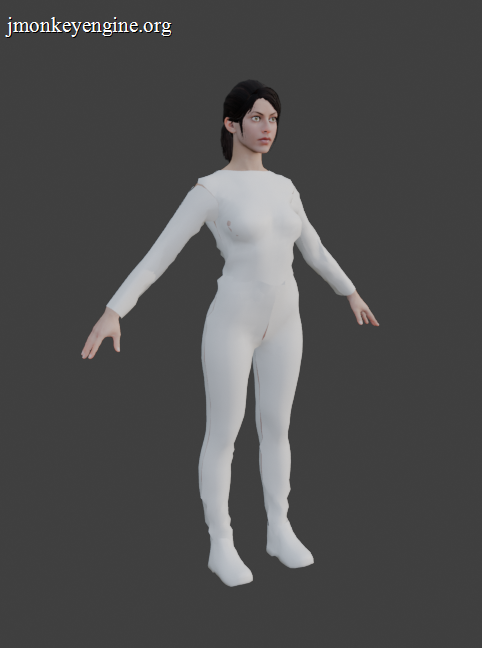
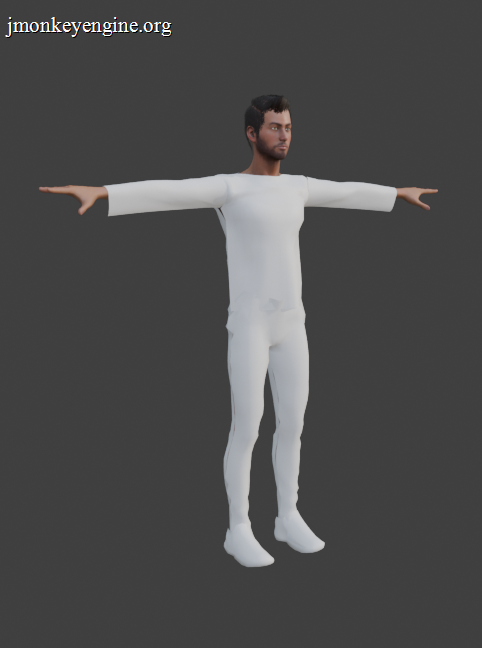
Upgraded my clothing workflow and this is the result.
All the clothes are custom made.
Slow and steady we improve the graphics. 
3 Likes
Hi everyone,
Just wanted to share a quick preview of a mechanic I’ve been working on for my project. It’s an interactive system for pushable objects using BetterCharacterControl and dynamic physics.
The main goal here was to have the entire mechanic fully driven by the physics engine, without hardcoded translation hacks or faking the movement.
Key features implemented:
-
Smart Snapping: The player automatically aligns perpendicularly to the specific face of the object upon interaction via raycasting.
-
Dynamic Parametrization: Fully adjustable parameters for push force and hand contact offset to ensure pixel-perfect alignment with different object sizes.
-
100% Physics-Driven: The movement is handled entirely via linear velocity and realistic forces acting on the object’s mass and friction parameters.
Here is a short live demo of the system in action: Video
Just a prototype for now, but it’s working quite smoothly for puzzle and horror-style mechanics.
Cheers!
17 Likes
Hi everyone,
With this scorching July heat, I desperately needed a swim to cool down my brain… so I decided to take a dive into jME’s water rendering. After fighting with the built‑in SimpleWaterProcessor (which felt a bit dated, sluggish, and had some weird internal quirks), I threw it overboard and started from scratch.
And here’s the first result – a lightweight, reflection‑only water surface that actually works and looks promising!
- Cubemap‑based sky reflection: cheap, crisp, and matches the skybox perfectly.
- Dynamic ripples generated by a moving object (a little green cube doing laps in a pool).
- Normal map for fine surface detail.
- Zero extra render passes: just a single quad, a custom shader, and a cubemap.
All the magic happens in the vertex/fragment shaders, no extra render targets, no performance hit.
Stay cool, and keep on swimming!
13 Likes
This is awesome. You are getting good at the engine inner workings now.
I am looking for a shader that can be applied to a mesh so that I can add rivers and lakes to my editor. Do you perhaps have something like that in the workings? Or some guide of doing this?
1 Like
Thanks! I’m the kind of person who likes taking things apart, reading the source code, reverse engineering systems, and not stopping at the Javadoc. 
I actually started looking into the water rendering recently. I have a few ideas that look promising, but I still need to experiment before I can say whether they’ll actually work.
My suggestion would be to start from one of the water implementations already included with jME. Don’t be surprised if you stumble across a bug or some quirky implementation detail, that tends to happen in mature codebases. Take it apart. Understand how it’s built, and more importantly, why it works the way it does.
In my experience there isn’t a “perfect” water shader. Every game ends up with its own solution depending on the artistic style, performance and gameplay requirements.
A good exercise is to pick a game whose water you like and try to reverse engineer the techniques behind it. Quite often you’ll discover that what looks impressive is actually based on a few clever tricks rather than an incredibly complex shader.
3 Likes
I’m finally starting to add Ambient Occlusion and Drop Shadows to my games.
It first started because of the art direction of the Sci-Fi areas required ambient occlusion for the sci-fi elements to look more stylish.
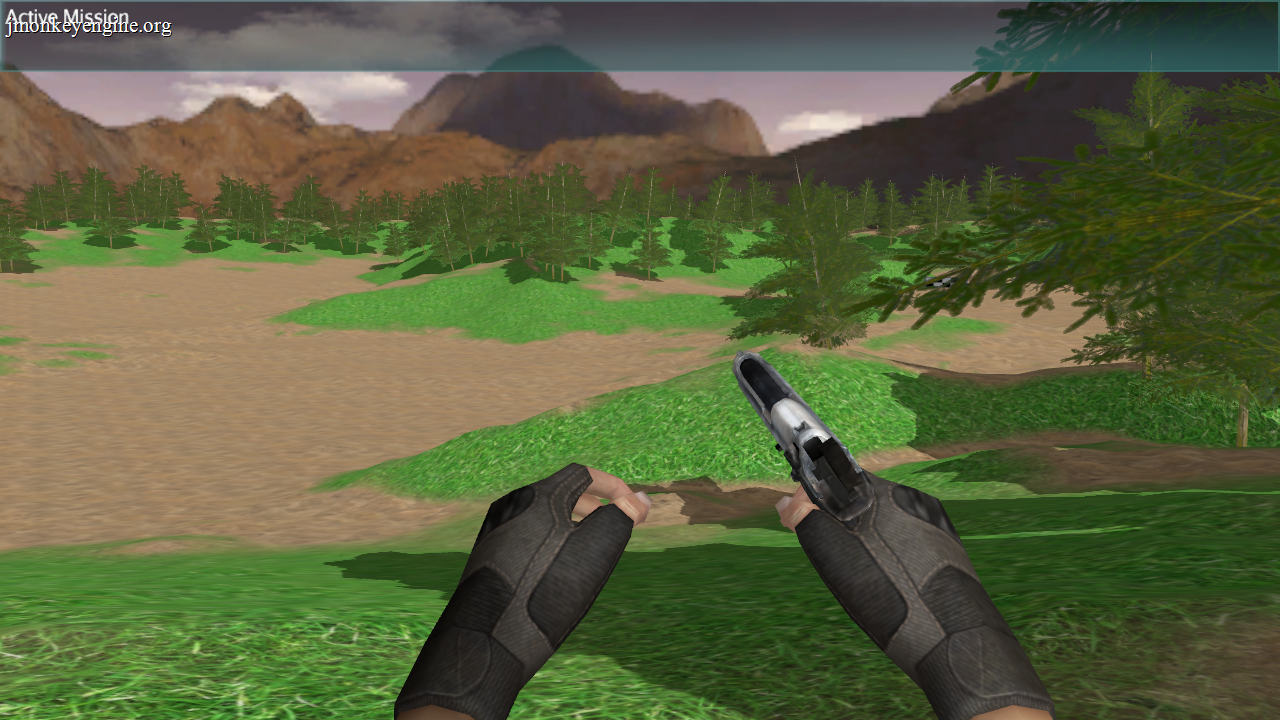
See the trees drop shadows.
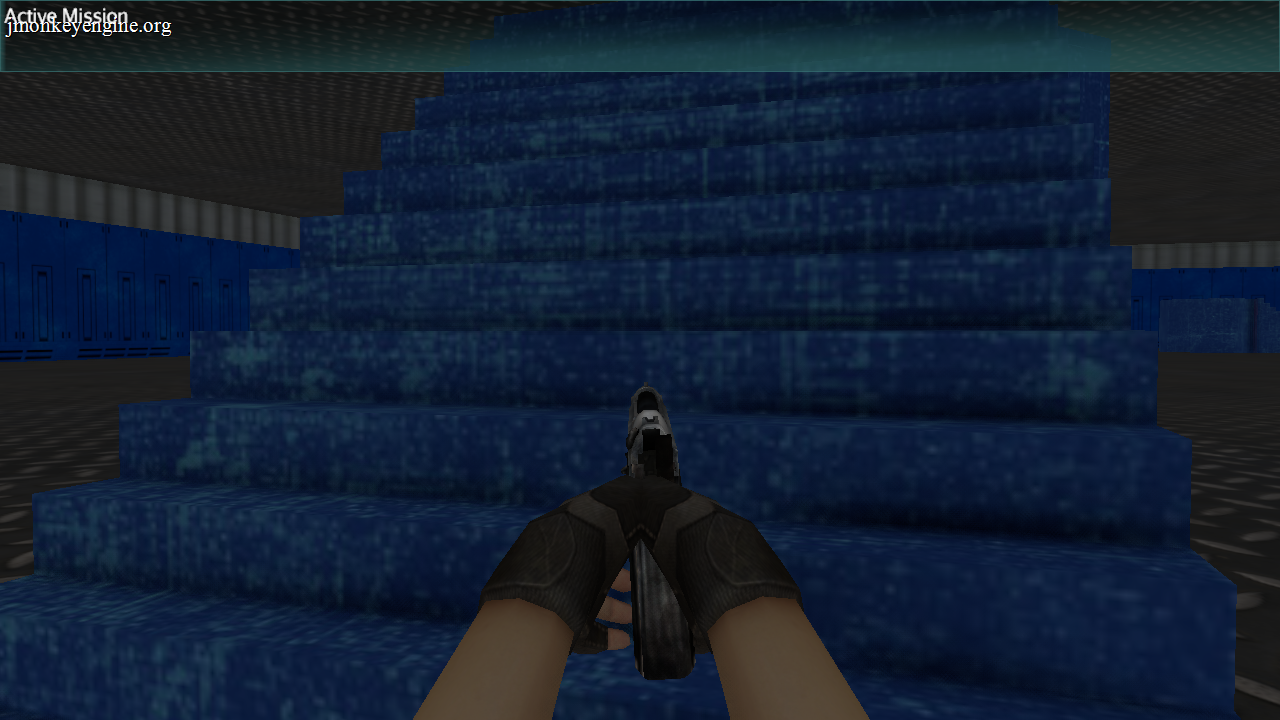
See the horizontal shadows between the steps.
See the vertical shadow between the platform and the stairs.
See the shadow where the metal floor connects with the blue platform.
5 Likes
Yes yes yes, screenshots are looking way better.
1 Like
Hello jME devs!
Water System New Features 
 What’s floating under the hood
- Circular ripple generation with 16 active wave centers
- Wave aging system
- Texture scrolling, foam and algae layers
- All shader uniforms updated dynamically
13 Likes
Checkout this scene I am making in my editor. There is not a lot of objects in it, only the terrain, however I am trying to get a sun rise that looks good.
10 Likes

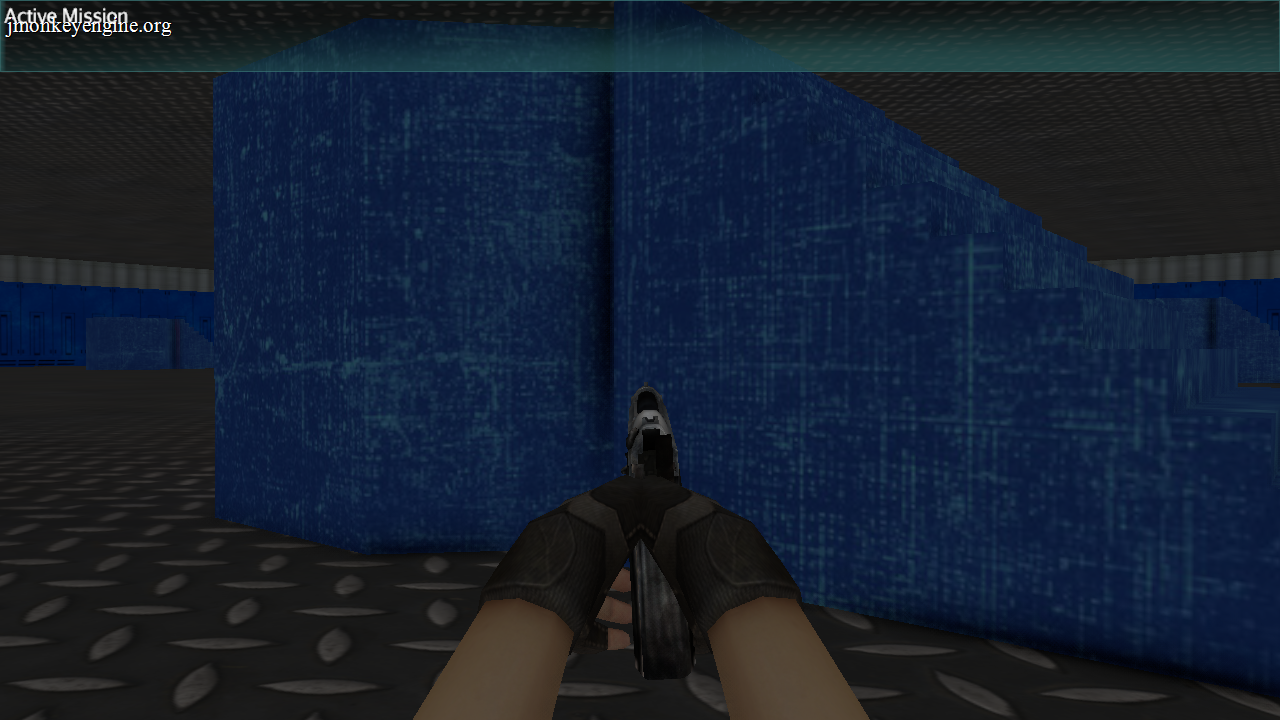
I’ve been remaking my player animation pipeline.
In this specific redo I switched from parenting the pistol to creating a separate bone and using blender constraints to make use of the translation data. Hopefully I’m able to EASILY export the animation.
Animations shown in order:
shoot
walk
throw
monkey bars
3 Likes
zzuegg
11
Toying around with a decal/layer based livery system. no textures are used for the chassis.If all works as expected, the livery should be transferable to any car resulting in a very similar style. The number on the side gets simply defined as center on the door. (door has a fallback for sidepods in case of a f1 car)
8 Likes
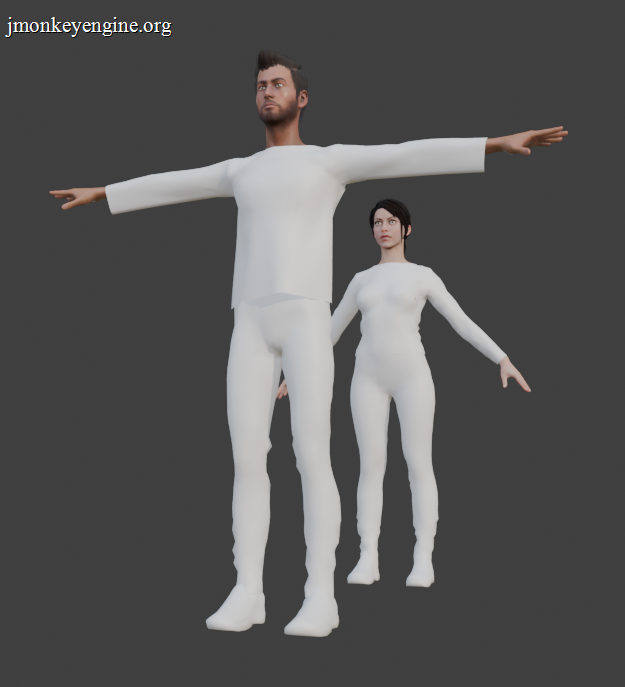
After much research I was able to improve the character’s clothing. Look how natural those folds look.
5 Likes
I have significant progress with a new multiplayer UDP server for the SceneMax3D IDE.
so far it supports:
- Movement / rotation
- Animations
- Attach / detach objects
- Inverse kinematics
- Scene switching
- Game sessions with password protected login
In the attached video you can see it in action. 3 clients each loads a fighter and a horse and a few colliders. The fighter is attached to the horse, running some Idle animation and a 3 layer inverse kinematics resolvers - 2 for the legs and 1 for the hands holding the horse.
There is a user input for some key presses which triggers movement & rotation as well as Horse animation (standing on the back legs).
Since it was designed from scratch, I wanted it to be as efficient as possible and as easy as possible for the developer. So the server side was created in Zig and the networking uses UDP for best performance possible and the SceneMax3D language got a new attribute for game objects - “multiplayer”. whenever the multiplayer attribute is set for a game object - that all it takes for it to part of the network entities which needs to be synched between clients.
for example, here is a fighter model which needs to be synched by the network:
man => fighter1_native: multiplayer, pos (-0.123437166,-1.2330694,1.0373306), scale 3.0, rotate(-52.84902,0.19000563,0.14396675), collision shape none async
This is how the inverse kinematics UI designer looks like.
That’s it for now
8 Likes
I’m working on a new map for my game’s Wave Survival game mode. This map is very small, comprised of just one 512 sized terrain.
I plan for this to be the first fully finished map that will be available in a demo version of my game (which I’m hoping to have ready by in time for the Steam Next Fest coming up in October.)
I’ve made a handful of larger wave survival maps over the past few years of developing my game, but all of them are lacking in decoration and have been left unfinished due to their size. Some will also require more effort to make them optimized to run at a solid 60fps once the map is fully decorated. So despite all of my larger maps being technically playable, pretty much all of the areas past the starting zone are barren and empty, and I feel that those would not present well to players in a demo. So for a demo, I intend to include one of those larger unfinished/unpolished maps (with a disclaimer that its not finished yet), as well as this new small map that will be fully finished and polished as best as possible.
I managed to create this map in the past 2 days using the custom editor I’ve designed specifically for The Afflicted Forests. Here are some screenshots showing my progress so far:
Here was the map’s terrain before I started decorating with any other models:
This screenshot also shows a new custom filter I wrote that flashes the edges of the screen red when taking damage:
10 Likes
That is just outstanding. I recently watched a live workshop of Thomas Brush which focused exactly on that. I am posting it here in case you find it helpful.
3 Likes
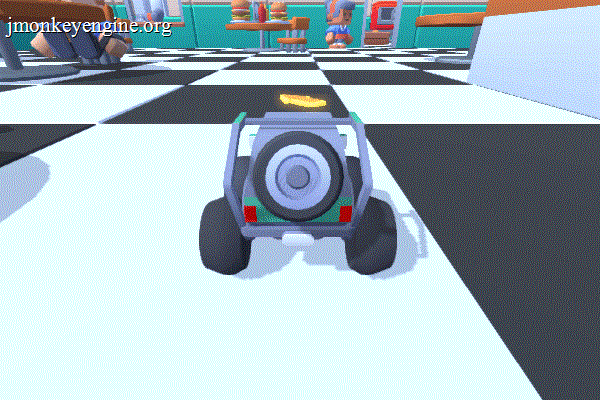
This passed weekend I participated in the Kenney Jam 2026. The theme was “SCALE” and you had to create a game in 48 hours based on the theme as well as only using the Kenney or Kaykit assets.
I made a game in my editor, EnvisionPlay, about racing your small toy car in a restaurant.
Check it out here: Kitchen Dash by The Giant
12 Likes
After several busy month I finally managed to spend more time to fill a terrain with life. I started with some basic grass (using instancing). I hope to add some variation soon, but at least some progress.
Edit:
Sprinkled a bit of color on top. It’s still using instancing just with a texture array incl. the grass and the flowers.
11 Likes
Mixamo FBX support fully solved in MonkeyWrench
Hello everyone!
After a lot of testing and stubborn digging, I finally fixed the main issues with Mixamo FBX files:
- Correct scaling
- Clean joint hierarchy (no more triple %AssimpFbx$ Joints)
- Proper embedded textures support
You can read the full story of this long journey here:
Vlog 02: Mixamo FBX Models Now Load Perfectly with MonkeyWrench
I hope the result will be useful to others. Big thanks to @sgold for developing such an excellent library!
- Before the fixes:
- After the fixes:
5 Likes
Very very well done.
This is great news. Is the fix already available and if so where can we get it?
1 Like
zzuegg
20
The livery system is basically complete. fully stackable, customizable paint, and coatings on all decals/layers. Everything is SDF based, so i get outlines and gradients nearly for free. (the rear lid/spoiler)
The limiting factor is how to efficiently upload the data to the gpu.. which is still not fully dynamic..
9 Likes


